Anonymize your documents before using them with an AI.
We help you detect names, IDs, IBANs, addresses, emails and phones in your PDFs, Word, LibreOffice or CSV files or text. Paste the anonymized text into ChatGPT, Claude or Gemini without leaking personal data, and when you are done, recover the sensitive data with one click.
three guarantees
Private, offline and reversible
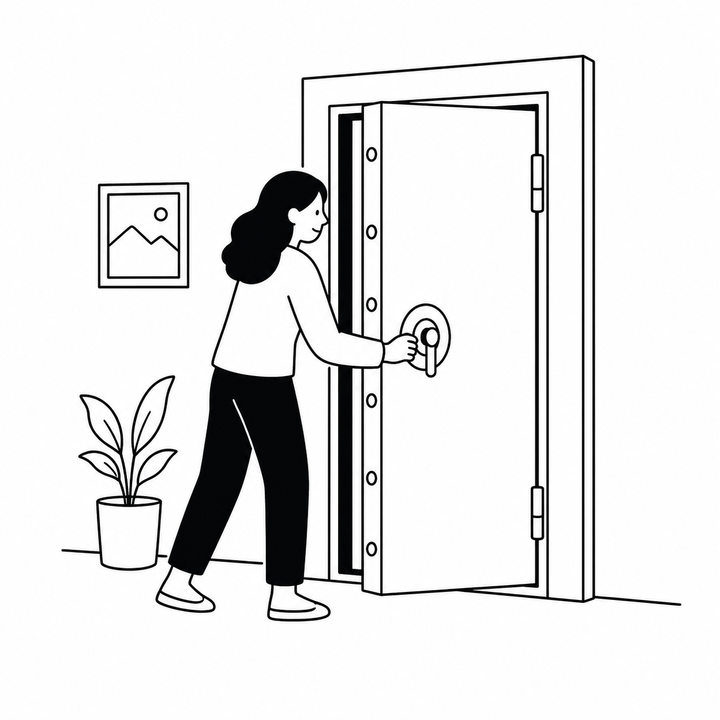
Private by design
Your documents do not leave your computer. No servers, no logs, no copies in the cloud.
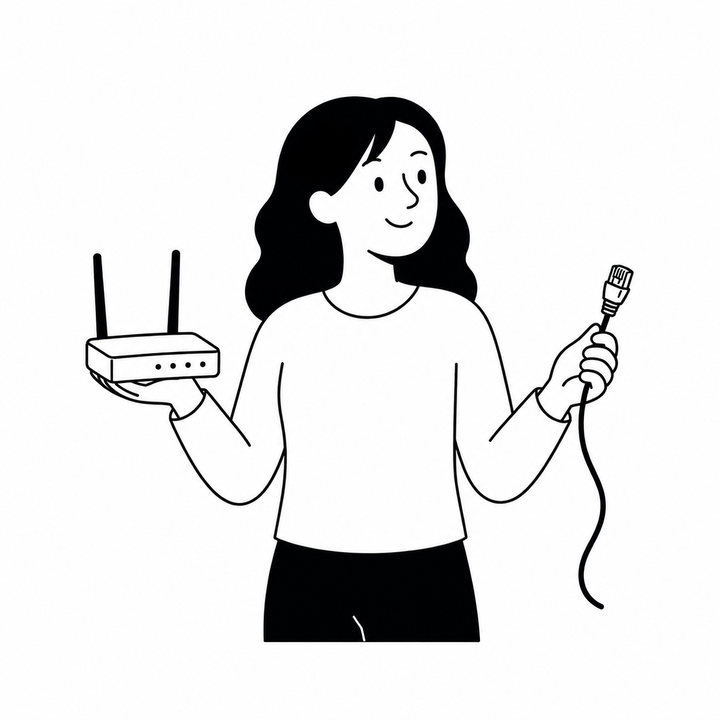
Works offline
Once the app is loaded, you can disconnect the Wi-Fi and verify it yourself.
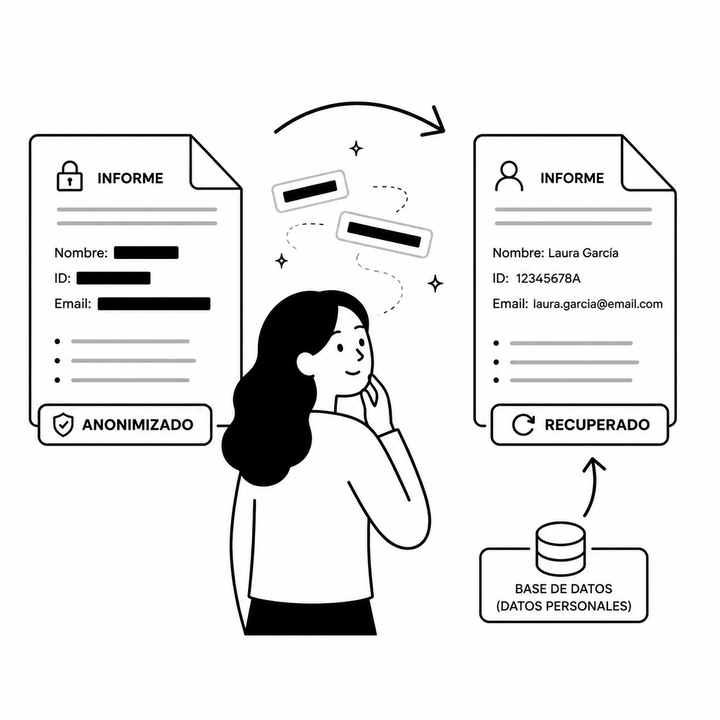
Fully reversible
Save the key and recover original data in any text returned by the AI.
for companies
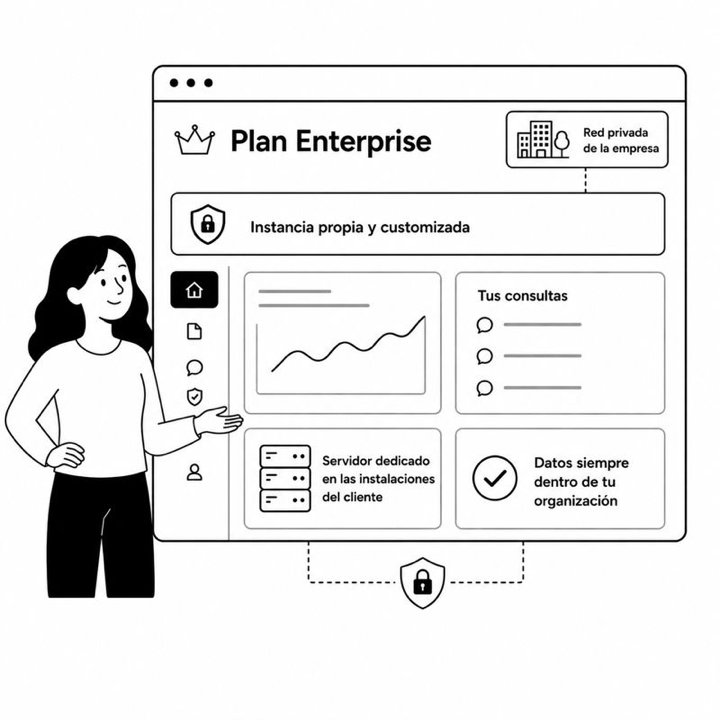
Ocultia, in your organization.
Includes advanced features like redacting data in Word and PDF keeping the format, designed for delivering documents to third parties.
Private instance
Not a byte leaves your network: the work happens in the browser. If you need it, we deploy Ocultia on your intranet or your private cloud, with SSO and traceability, as bespoke development.
Custom detectors
We add custom types (internal codes, medical records, contracts), connectors to your DMS and industry-specific rules.
Support and training
SLA, onboarding and training for your legal, medical, HR or customer service teams. We accompany you in the deployment.
need something custom?
Tell us your case and we'll build it with you.
Detail your problem and we handle the rest: consulting, solution design and turnkey implementation.
how it works
- 01
Upload your document
Drag a file or paste text. We support .txt, .md, .pdf, .docx, .odt and .csv. Nothing is sent to any server, everything happens in your browser.
- 02
Review the detections
We highlight personal data by colors. You can add, remove or change any detection manually.
- 03
Download and share
You get the document without personal data and, optionally, an encrypted key to recover the original.
start here
Upload your document
If you don't trust us, .
0 characters
0 files ready
frequently asked questions
What you must know
Click each question to expand. You can keep multiple questions open at the same time.
Why do I need to anonymize before sending a document to an AI?
When you paste information into an AI like ChatGPT, Claude or Gemini, that data might be stored in their systems: to train future models, for human review or simply kept in logs. If your document contains real names, IDs, addresses or medical data, you are sharing people's information who probably haven't given their consent.
Anonymizing beforehand prevents that problem: the AI receives the context it needs but without knowing who it belongs to.
What about the law? Does this relate to GDPR?
Yes. The General Data Protection Regulation (GDPR) considers personal data to be any information that identifies a person: a name, an ID, an email, a license plate, an address. Sharing this data with a third party (including an external AI) without a legal basis can be an infringement.
Proper anonymization turns the document into something that is no longer personal data and, therefore, falls outside the scope of GDPR. This is what the AEPD calls "irreversible anonymization". With Ocultia, it's reversible only for you, thanks to the key file stored locally.
Does using Ocultia guarantee GDPR compliance?
No. Ocultia is a support tool that makes it easier to anonymize documents before passing them to an external AI, but it is not a legal advisory service and does not guarantee regulatory compliance.
The responsibility for processing personal data always lies with the person or organization managing it. Ocultia cannot guarantee that it detects 100 % of the personal data in every document. AI models make mistakes, and certain formats (standalone images, complex tables, low-quality scans processed by OCR) may evade detection. That's why it is essential to review the result before exporting.
In no event will Ocultia or Lostium be liable for any damage or harm arising from the use of the tool, the processed information, or the decisions made based on its results.
If you manage particularly sensitive data or in regulated contexts, consult a data protection specialist.
Do my documents reach any server?
No. Once the application is downloaded to your browser, all the magic happens on your computer: neither the document nor the detected data leaves your device.
The only thing downloaded from outside is the AI model the first time you use it (a few tens of MB). Then it is kept in the browser cache to work offline.
How does Ocultia work under the hood?
We combine two complementary techniques:
1. Regular expressions for data with a fixed and verifiable format: ID and NIE (with control digit), passport, tax ID (CIF), IBAN, credit card number, email, phone, IP address, postal address and schools. These detections are fast and highly accurate.
2. Named Entity Recognition with AI (NER) for the one thing that has no recognisable format: people’s names. We use a small Transformer model trained for Spanish that runs directly in your browser with WebAssembly.
Company, institution and place names are not detected automatically. They hardly ever identify a person, and on real administrative documents the model got them wrong far more often than right: it kept proposing to redact ordinary words and the names of town councils. If they matter in your document, mark them by hand.
Detected data is replaced by tags like [NAME_1], [ID_2], [EMAIL_3]… preserving the original format of the document.
Why is the result downloaded in Markdown?
Because Markdown is practically the native format that AIs understand best, like ChatGPT, Claude or Gemini. It maintains the document structure (titles, lists, bold text, links) with very little syntax, without the visual noise of PDF or Word, takes up fewer tokens, and the AI interprets it effortlessly.
Furthermore, it's plain text: you can open it in any editor, copy and paste it wherever you need, or keep editing it manually. When you recover the personal data, the AI response will still come in Markdown; rehydration works just the same.
What types of personal data does it recognize?
Automatically: ID, NIE, passport, tax ID (CIF), IBAN, credit card number, email, phone, IP address, postal address, school and person’s name.
Company, institution and place names are not detected automatically, because they hardly ever identify a person and the model’s suggestions were mostly false positives. When a company really matters, what identifies it is its tax ID (CIF), which is detected.
In addition, you can define custom types on the fly; useful for sensitive terms in your business context (e.g., PROJECT, CLIENT, MEDICATION, ALIAS). Just select the text in the document and choose "+ new type". That is also how you redact a company name.
What is the personal dictionary?
It is your memory of sensitive terms: names, aliases, projects or any piece of data you want detected every time, even when the engine does not recognize it on its own. Each entry stores its value and its type, custom types included, and is searched automatically in every document you analyze.
You fill it from the review itself: select the detections you care about and press Add to dictionary, or manage entries and groups from its page in Settings. Groups can be enabled or disabled separately, handy for keeping clients or matters apart.
Everything is stored encrypted in your browser: it opens with a password or a passkey, and for security the unlock only lasts while the page is open. If you reload or close the tab, you will need to unlock it again. There is a recovery key in case you lose access, and you can export it (plain or encrypted) to move it to another computer. Like the rest of Ocultia, it never leaves your computer.
You need a free account to use it.
What if the detection fails or makes a mistake?
That's why we let you review before exporting. You'll see the highlighted text by color depending on the detected type, and you can:
• Click any highlight to change its type or remove it.
• Select new text to mark it manually with an existing type or your own.
• Consult the complete table with all detections, their occurrences, and origin (regex, AI, or manual).
Nothing is exported until you decide.
Can I recover personal data later?
Yes. Save the key file that downloads along with the anonymized document and go to the Recover tab. Upload whatever text you have (the original or one rewritten by the AI, as long as it keeps the tags [NAME_1], [ID_2]…) along with the key, and we will reinject the personal data where they belong.
We recommend encrypting the key with a password upon export if the data is sensitive. Without the password, the data cannot be recovered: not by you, nor by anyone else.
Can I anonymize several documents at once?
Yes, up to 5 files per session. Drop them together in the upload zone or add them one by one; the paste text area also counts as an additional virtual file. Before analyzing you can reorder them by dragging or remove them individually.
The big advantage is the unified mapping: if the same person, ID, IBAN or phone appears in multiple documents, they all receive the same tag [NAME_1]. This way, when you pass the set to the AI, it can relate the blocks without confusing the same name spread across different files.
When exporting, you get a single combined Markdown with clear separators (--- file-1.pdf ---, --- file-2.docx ---) between each block and a single key that covers the entire set. When the AI replies, you rehydrate just the same: a single pass that replaces the data in all blocks.
What is the ideal format? What if I have a PDF, Word or a document with images?
The ideal format is Markdown (.md) or plain text (.txt): the structure remains intact, no conversion is needed, and the anonymized result can be pasted directly into the AI. If your source is in Word, exporting it to Markdown from the editor itself will give you the best quality.
We also accept .pdf, .docx and .odt: we convert them to Markdown in your browser before analyzing them. And .csv files, which take their own route. It works well with digital text and simple formatting, but keep its limits in mind:
• Scanned PDFs or text embedded in images: if we don't detect a text layer, we automatically launch OCR in your browser with Tesseract (~12 MB downloaded the first time). The recognized text goes into the normal anonymization pipeline. You'll see a permanent notice on the review screen reminding you that the OCR might contain errors, so check the detections carefully.
• Complex PDFs (multiple columns, large tables, footers): reading order may get mixed up and titles might not be properly recognized.
• Word (.docx): we extract the text and basic formatting (titles, lists, bold text, links). What is not processed: embedded images, text boxes, shapes, headers/footers, comments, and track changes marks. None of that reaches the anonymized text: if there was personal data there, we won't detect it, but it won't be in the result either.
• LibreOffice / OpenOffice (.odt): we extract headings, paragraphs, lists and tables. Numbered lists come out as bullets, and we also don't process images, text boxes, headers/footers or footnotes.
• Tables (.csv / .tsv): these do not go through Markdown. They get their own flow where you tick which columns to hide, and the result is another CSV with the same rows and columns. It has to go on its own, not mixed with other files.
• Images in general (signatures, ID photos, screenshots, charts with text): they are completely ignored in any format. They are not analyzed and will not be present in the anonymized text you export: the result only contains the text we actually managed to extract.
In any case, before exporting, review the document on the review screen and mark anything missing by hand.
Can I edit documents without losing the format?
Yes, with Ocultia Pro or with Ocultia Enterprise. You upload a .docx, a .pdf or a .odt, we automatically detect personal data and you review it: add or remove whatever you want manually. Upon download, this data is removed from the file and replaced with a black bar, keeping the original document layout intact.
It is irreversible, meant for delivering the document to a person or publishing it in a transparency portal, not for an AI. It works the same on both plans: Pro if you work on your own or in a small practice, Enterprise if access is for several people in an organisation. Compare the plans.
Does it work offline? Is it free?
Once the model is downloaded (the first time you detect something), Ocultia works completely offline. You can even install it as an app from your browser.
The public version is completely free. You can make two anonymisations without registering; from the third one onward, we ask you to create a free account, which only stores your email, your plan and, if you register it, your passkey. There are no further usage limits beyond your browser's own memory. Very large documents (hundreds of pages) may take longer to analyse.
There are also two paid plans with the same advanced features (such as editing documents while preserving their formatting): Ocultia Pro for you or your practice, and Ocultia Enterprise when access is for several people in an organisation, which can add training and bespoke integrations. Compare the plans.
The same account unlocks the personal dictionary. Creating it requires a connection once; after that, Ocultia keeps working offline.
Why doesn't any cookie banner appear?
We don't use tracking cookies or profile you. To understand how Ocultia is used and improve it, we do measure website usage with an anonymous and cookieless analytics (Matomo self-hosted by us, not Google): it counts visits and actions in an aggregated way, without identifying you and without touching the content of your documents, which are processed entirely in your browser.
Since it is anonymous and cookieless, it doesn't need a consent banner. Still, you can disable it in Settings whenever you want, and we respect your browser's Do Not Track signal.