Restore the original data
-
Open Recover in the header. Paste the anonymized text or the AI response that still contains the labels. You can also attach a file.
-
Load the key file for that work. If encrypted, enter the password you used when exporting it.
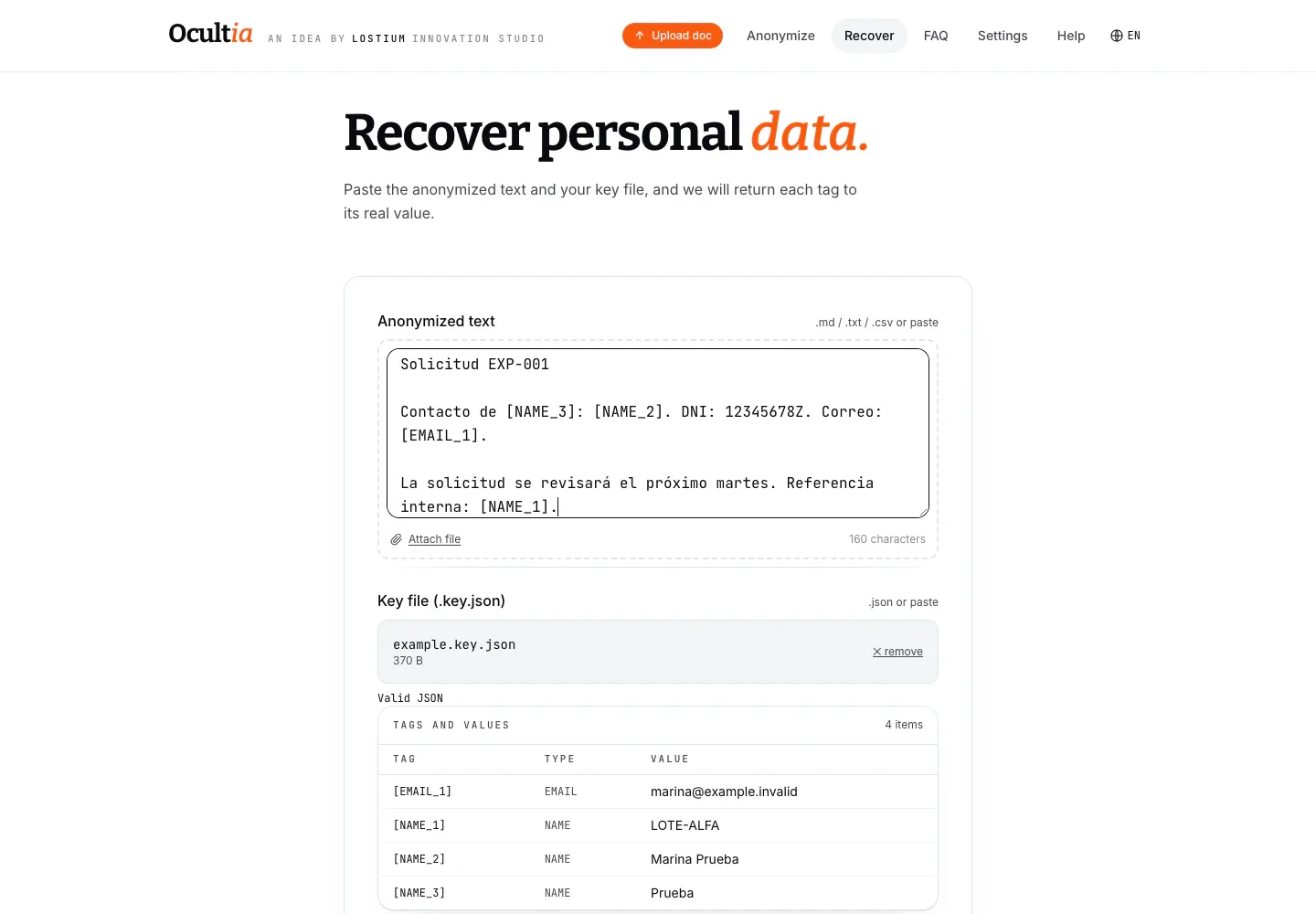
-
Restore the data and check the result. If labels remain unresolved, check that you are using the correct key file and that the original labels are intact.
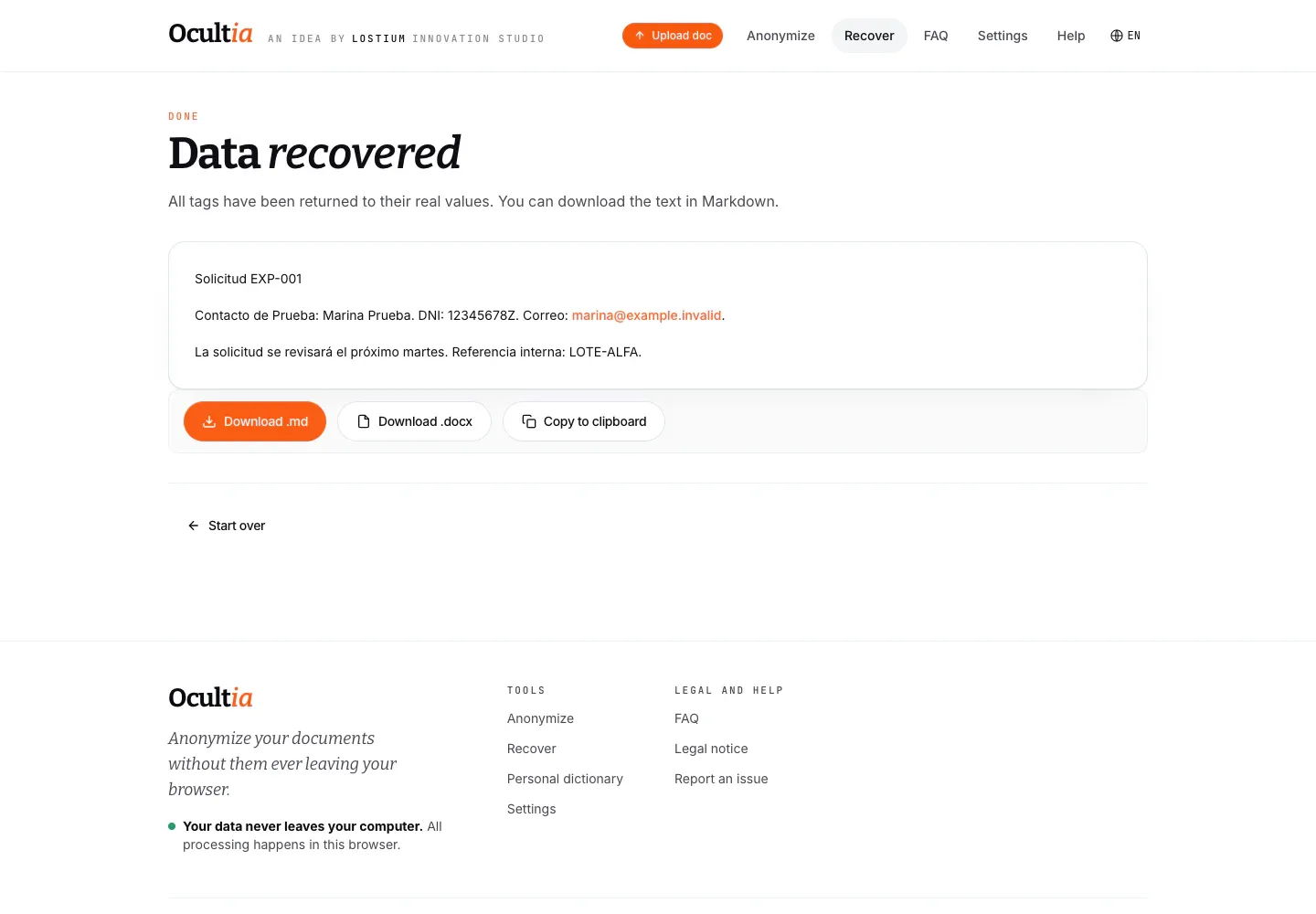
-
Copy or download the output. It contains personal data again.
Data can only be restored from an export with labels and a matching key file. To revise an irreversibly redacted copy, start from the original document.